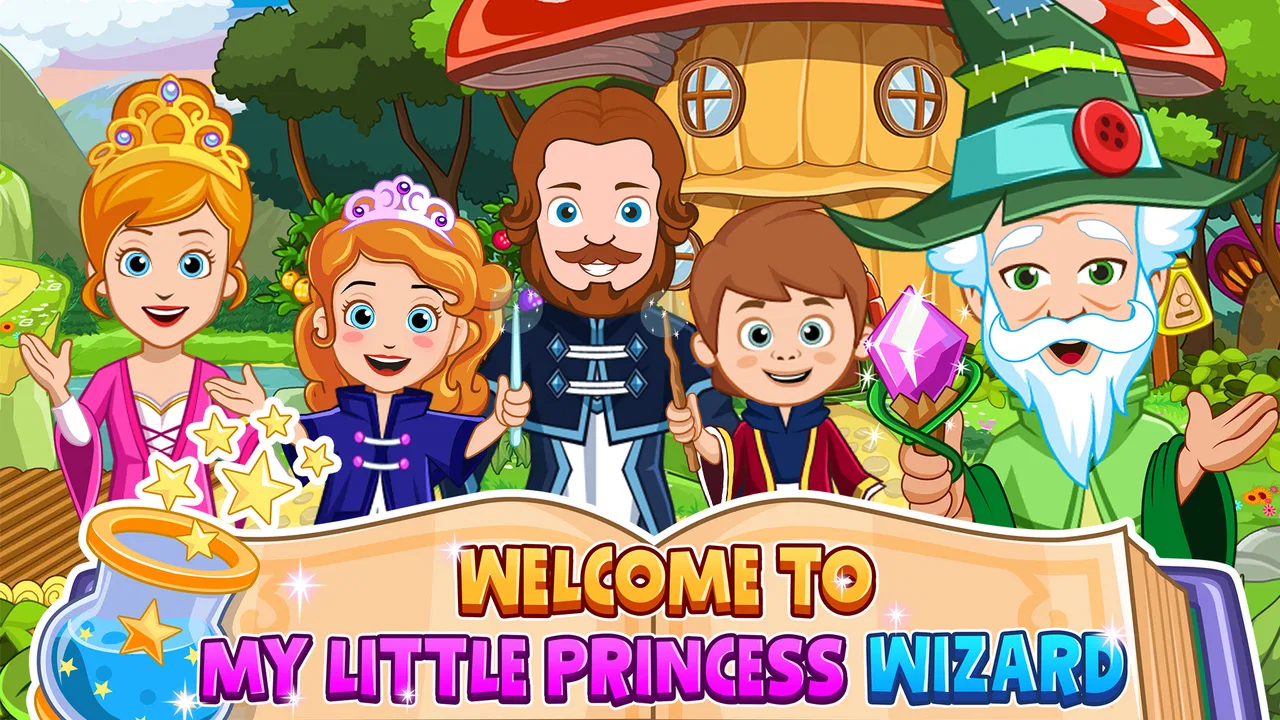
My Little Princess : Wizard
- 3.7
- Rating
- 100.00K
- Installs
- $4.49
- Price

 Analysis by App-foxy
I approached My Little Princess: Wizard expecting a gentle fantasy game for children, but what stood out to me was how much of its appeal comes from simple interaction rather than a conventional challenge. It is an educational game from My Town Games Ltd, built around exploring a castle and trying things just to see what happens. That makes it feel closer to a digital playroom than to a level-based adventure.
The first thing I noticed was the freedom to tap, drag, pick up, and rearrange objects. A child does not need to understand a complicated objective before beginning. The castle itself provides the invitation: look around, touch something interesting, and watch the scene respond. For younger players, that low-pressure opening is important because it turns curiosity into the first action instead of asking them to read instructions or master controls.
The game costs $4.49, carries an Everyone age rating, and is designed for Android devices running version 8.0 or later. It has reached over 100 thousand installs and holds a 3.7 average from around 3.1 thousand ratings. Those figures suggest a recognizable, established children’s title, although the rating also matches my impression that the experience will suit some families much better than others.
You May Also Like

 Blood Strike: 2.5 Anniversary
Blood Strike’s Loadouts Turn Every Drop Into a Tactical Gamble
A close look at Blood Strike’s custom loadouts: how fast access to signature weapons reshapes its battle royale rhythm, rewards preparation, and narrows the gap between fights.

 Pandora - Music & Podcasts
Pandora’s Music Is Easy to Start, but Harder to Recover
Pandora’s strength is its low-effort path from a seed to a station. Its weak spot is how much confidence it asks you to place in connection, setup, and quiet recovery.

 8 Ball Pool
8 Ball Pool Is Built on Rivalries, Rematches, and Routine
A close look at the rivalries, rematches, shared routines, and unanswered safety questions that turn a quick pool match into a persistent mobile community.

 Samsung Music
Samsung Music’s Quiet Strength Is Playing What You Already Own
Its reach comes less from spectacle than from dependable access to a personal library. That simplicity is both the app’s strongest retention engine and its ceiling.

 AccuWeather: Weather Radar
AccuWeather Review: A Quick, Clear Forecast for Everyday Decisions
For everyday plans, the best forecast is the one you can understand quickly. AccuWeather makes rain timing, radar, and local conditions easy to act on, with a few trade-offs.

 Hill Climb Racing
Why Hill Climb Racing Still Turns Crashes Into One More Run
A tiny car, a bumpy hill and one more upgrade: Hill Climb Racing keeps resurfacing because its simple chaos makes every near-miss feel personal.
More From Our News Desk



How the castle turns a small action into a play session
I focus here on the small choices that can make an open-ended castle feel inviting or confusing, especially when a child is meeting it for the first time. A little guidance can help without turning play into a set of instructions; next, I’ll look at the simple checks that make starting on a device less frustrating.
The first action is deliberately easy
My favorite part of the opening experience is that there is no pressure to perform. In many children’s games, the first minutes are spent following arrows, completing a tutorial, or searching for the correct answer. Here, the child can begin with a much more natural question: “What does this do?” That question is the real engine of the game.
A useful way to introduce it is to sit with a child for the first session and suggest a small mission, such as preparing a magical room or finding interesting objects in the castle. I would not give a long explanation. I would point toward one item, let the child interact with it, and then ask what else might be connected to it. This turns unstructured exploration into a light storytelling exercise without taking control away from the player.
The controls are approachable because the basic language is familiar: touch an object, move it, place it, and observe the result. That makes the game suitable for children who may not yet be comfortable with more demanding games. It also gives parents a chance to see how their child approaches cause and effect. Some children test one item carefully; others immediately move everything they can. Both approaches work because the game does not punish experimentation.
There is a trade-off here. Children who want a clear goal, a visible score, or a sequence of increasingly difficult stages may wonder what they are supposed to accomplish. The game’s openness is its strength for imaginative play, but it can feel vague if a player expects a traditional educational title with exercises and answers.
The feedback rhythm keeps curiosity moving
The central rhythm is simple: an action produces a visible response, that response suggests another action, and the child begins testing the next object. I found this more effective than a stream of written instructions because the feedback is immediate and easy to understand. A child does not need to remember a rule when the scene itself demonstrates what happened.
This rhythm is especially useful for shared play. A parent can ask, “What changed?” or “What could you try next?” rather than correcting the child. Those questions encourage observation and prediction, two skills that are easy to practice inside a fantasy setting without making the activity feel like homework.
The castle setting gives the feedback a playful context. Moving through a wizard-themed environment makes ordinary tapping feel like discovery. The child is not simply pressing buttons in a menu; the action is framed as handling objects and exploring a place. That framing matters because it gives each small interaction a reason to exist within the child’s own story.
I also noticed that the game’s feedback works best when the child is allowed to slow down. If an adult rushes through the room, points out every possible interaction, and supplies a story for every object, the child becomes a spectator. The better approach is to leave pauses after each action. The pause is where the child notices the response and decides whether to repeat it, change it, or combine it with something else.
For a practical routine, I would let the child choose one area, explore it without help, and then invite them to explain what they discovered. This creates a small communication exercise around the game. It is a more valuable use of the title than leaving it running as background entertainment, because the child’s observations become part of the play.
Rewards are moments of discovery rather than scores
The reward structure is not built around winning a match or collecting a high score. The reward is the discovery itself: finding an interaction, creating a funny arrangement, or making a scene feel different through the child’s choices. That makes the experience welcoming for players who become discouraged by failure, but it also means the motivation depends heavily on imagination.
I think this is where the game earns its educational label in a broad, child-friendly sense. It encourages exploration, sequencing, pretend play, and conversation. A child can practice deciding what to do first, remembering where an object was placed, and explaining why a particular action was interesting. None of that is presented as a worksheet, which helps preserve the feeling of play.
One non-obvious strength is that the lack of a strict “correct” solution gives children room to repeat an action for a different reason. The first time, they may be testing whether an object responds. The second time, they may be building a story around it. The third time, they may be showing the result to a parent or sibling. The same interaction can therefore support different kinds of play depending on the child’s mood.
That flexibility also reveals a limitation. If you are looking for measurable progress in reading, mathematics, spelling, or another specific school subject, this is not the right tool. It offers learning through play and experimentation, not a structured curriculum. I would choose a focused learning app for practice and use this one when the goal is imaginative exploration, independent activity, or a calmer shared session.
The game is also less satisfying for children who need frequent external rewards. There may be no obvious reason to continue once the child has explored the most interesting parts of a room. In my view, that is not a flaw for every family, but it does mean the adult may need to provide the next prompt: invent a character, prepare a scene, or tell a short story using the objects already discovered.
Resetting the session is part of the appeal
A good children’s play experience should be easy to leave and easy to revisit. This title benefits from that quality because a session does not need to become a long campaign. A child can explore for a short while, stop, and return later with a different idea. The value is not only in reaching a final destination; it is in seeing what a new round of play can produce.
I would use it in short windows such as after school, during a quiet transition, or while waiting for an appointment. The castle gives the child something to focus on, while the open format avoids the frustration of stopping halfway through a timed level. That makes it more practical than many action games for families who want play that can pause naturally.
The reset also works creatively. On one visit, the child might investigate objects as a curious wizard. On another, the same space can become a home, a laboratory, or the setting for a rescue story. The game does not have to provide a new challenge every time because the child can change the meaning of the scene.
Still, parents should understand that repetition here is player-led. If your child expects new stages, increasingly powerful abilities, or a clear campaign, returning to the same environment may feel less exciting over time. The title is strongest when the child enjoys making up situations, not when they are waiting for the software to deliver a constant stream of new rewards.
Another practical point is supervision. The Everyone rating makes the game broadly suitable for children, but age suitability is not the same as guaranteed engagement or educational depth. Younger children may need help understanding what to try, while older children may quickly decide that the interactions are too simple. I would judge it by the child’s interest in pretend play rather than by age alone.
Where it stands beside ordinary alternatives
Compared with puzzle-based educational games, this experience offers more freedom and less formal instruction. A puzzle app is usually better when you want a child to practice a defined skill and receive clear confirmation of success. This castle game is better when you want the child to make choices, explore cause and effect, and create a story without being told what the correct answer is.
Compared with open-ended drawing apps, it provides a ready-made world instead of a blank page. That can help children who have lots of ideas but do not know how to begin drawing. The setting supplies characters and objects to react to, so the imaginative work starts with arranging and interacting rather than creating every visual element from scratch.
Compared with action games, it is calmer and more forgiving. There is no need for fast reflexes or competitive performance to enjoy the castle. On the other hand, action games can provide a stronger sense of progression and accomplishment for children who like goals. Choosing between them depends on whether your child wants to invent a situation or overcome a challenge.
The paid entry price is another part of the comparison. At $4.49, it is not a free download, and in-app purchases are listed at $0.99 per item. I see the initial cost as something to consider carefully because the game’s value depends on how often your child returns to imaginative play. Families wanting a large collection of structured lessons may get more from a dedicated educational subscription or a focused free title, while families wanting a contained fantasy play space may find the purchase easier to justify.
Who will enjoy it, and who should skip it
I would recommend it to parents looking for a gentle educational game that a child can explore without fear of failure. It is particularly suitable for children who enjoy pretend characters, arranging objects, and asking what happens when they try something unusual. It can also work well as a shared activity where the adult listens, asks questions, and lets the child direct the story.
I would be more cautious if your main goal is academic practice. The game does not replace a reading lesson, a number game, or a teacher-guided activity. It is also not my first choice for a child who needs explicit objectives and visible progression. In those cases, a level-based alternative will probably hold attention more effectively.
Device compatibility is straightforward for supported Android hardware because the minimum operating system is Android 8.0. The current version is 7.03.02, so I would check the device before buying, especially if the game is intended for an older tablet. That small check can prevent the disappointment of choosing a title that the family device cannot run.
My strongest tip is to treat the game as a prompt generator rather than a babysitter. Before handing over the device, give the child a tiny challenge: create a room for a character, find three objects that belong together, or act out a beginning and ending. These prompts make the action-feedback-reward cycle more meaningful without turning the session into a lesson.
A second useful approach is to let the child reset deliberately. Instead of trying to preserve one arrangement forever, ask them to take a mental snapshot, change the scene, and explain which version they prefer. This turns repetition into comparison and gives older children a little more ownership over the play.
A third is to use the castle as a storytelling bridge away from the screen. After a session, ask the child to retell what happened using their own words, draw one character, or act out the next scene with toys. The game then becomes the starting point for offline creativity rather than the entire activity.
After spending time with it, I see My Little Princess: Wizard as a relaxed fantasy sandbox with educational value rooted in exploration. Its loop is clear: touch something, notice the response, enjoy the discovery, reset the scene, and begin another small story. That loop is satisfying when the child supplies the imagination.
It is not the best choice for formal lessons, competitive play, or children who need constant progression. Its open structure can feel aimless, and the paid price deserves consideration when compared with more focused alternatives. But for a child who likes make-believe and a parent who wants a calm, easy-to-share activity, the castle offers a friendly space where a simple action can grow into a surprisingly personal play session.
FAQs for My Little Princess : Wizard
01What is My Little Princess: Wizard, and what can children do in the game?
My Little Princess: Wizard is an imaginative digital dollhouse game designed around magical exploration and open-ended play. Children can visit wizard-themed locations, interact with characters, discover objects, and create their own stories without following a strict mission structure. The experience focuses on curiosity, role-playing, and experimentation rather than competition, making it suitable for relaxed, creative play sessions.
02Is My Little Princess: Wizard suitable for young children?
The game is generally aimed at children who enjoy pretend play, fantasy settings, and simple touch-based interactions. There are no complicated controls, difficult battles, or time-limited challenges to master. However, parents should still review the app’s age rating, privacy information, and available purchase options before downloading. Younger children may also benefit from playing with an adult, especially when exploring menus or optional content.
03Does My Little Princess: Wizard require an internet connection?
The main interactive experience can typically be enjoyed offline after the application and its required files have been installed. An internet connection may still be needed for the initial download, updates, restoring purchases, or accessing platform services. Availability of certain features can vary by device and version, so it is sensible to launch the game once while connected before taking it on a trip or giving it to a child for offline play.
04Are there advertisements or in-app purchases in My Little Princess: Wizard?
Parents should check the current store listing because monetization details can change between versions and platforms. Games in the My Little Princess series may offer additional locations, characters, or themed content through optional purchases, while the core experience is usually focused on free-form play rather than advertising. To avoid unexpected charges, use parental controls, disable unauthorized purchases, and review the purchase confirmation settings on the device.
05What devices are compatible with My Little Princess: Wizard?
Compatibility depends on whether you download the Android or iOS edition, as well as the operating system version, available storage, and device performance. Before installing, check the official Google Play or App Store listing for the latest requirements. A reasonably modern phone or tablet should provide the smoothest experience, while older devices may have slower loading, limited storage, or reduced performance when several characters and objects are active.
Pros
- Creative wizard-themed world encourages imaginative role-play.
- Bright
- child-friendly visuals are easy for young players to understand.
- Characters and objects can be freely moved around the magical locations.
- Works well for short
- open-ended play sessions without strict objectives.
- Suitable for cooperative play between children and parents.
Cons
- Some interactions may feel repetitive after the initial exploration.
- The open-ended format may offer limited guidance for younger children.
- Certain content or features may require an additional purchase.
- Small on-screen elements can be difficult to use on compact phones.
- Parents should review privacy and in-app purchase settings before play.

My Little Princess : Wizard
Gallery